 KL
Klink
Leading product design since the founding stage

Zeli is a fashion shopping app for Myanmar that I founded. It sells two kinds of stock in one cart: trend pieces imported through our own warehouse at the Muse border, and clothes from local Myanmar brands. I designed the admin console that runs all of it, and wrote every flow as a spec a developer can build from.
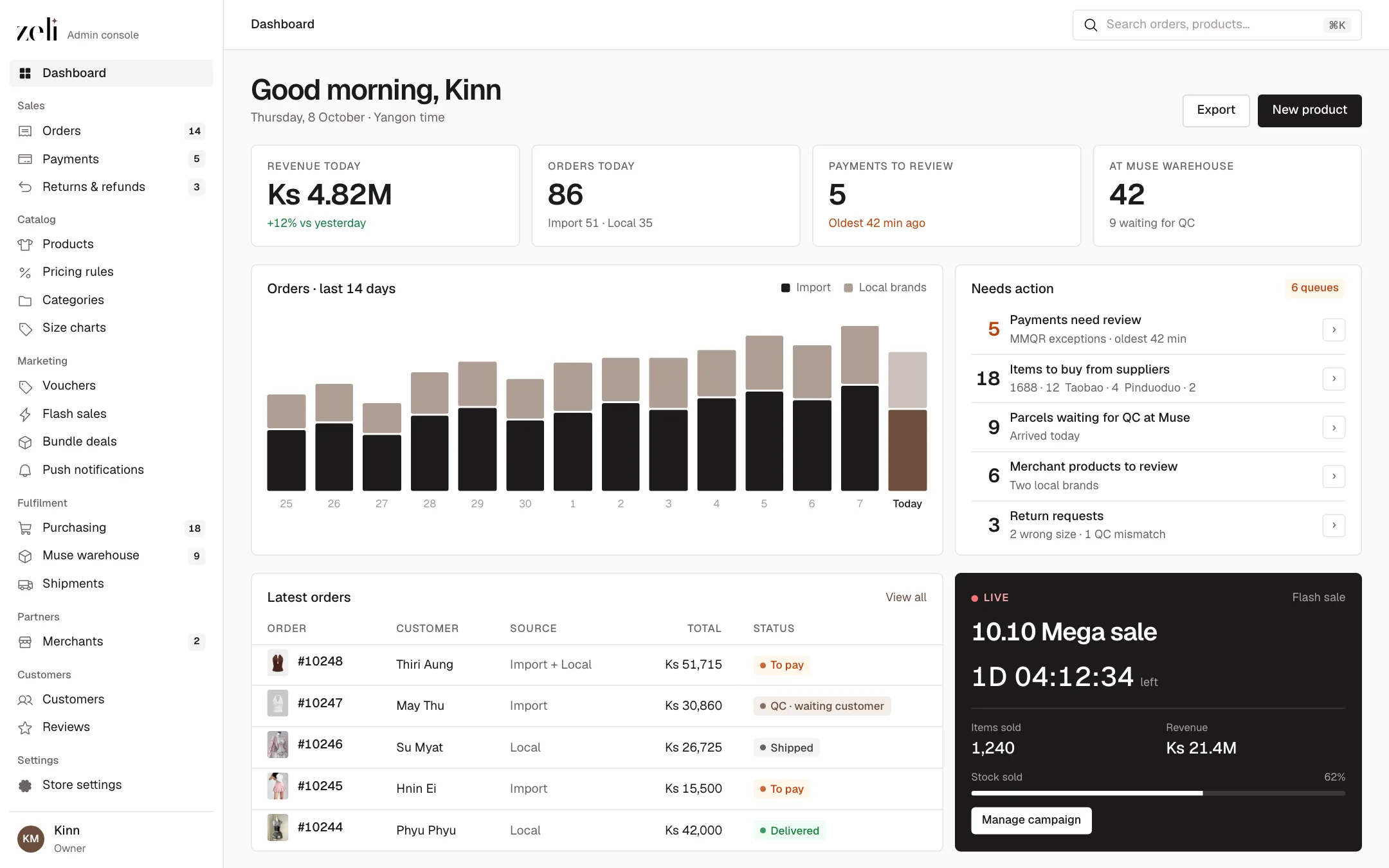
Each screen on this page runs live, with sample data. Click the black buttons: the order moves, the price re-calculates, the QC photos go out.
The challenge
One order can hold two very different journeys, and money moves before goods do.
An imported dress takes nine steps to reach Yangon. A local brand's top ships across town the same day. Both can sit in one order, and the customer should see one order.
Imports need a 50% deposit before anything is bought, the rest is cash on delivery. Local brands are cash on delivery. Nobody should buy a thing until the deposit is in.
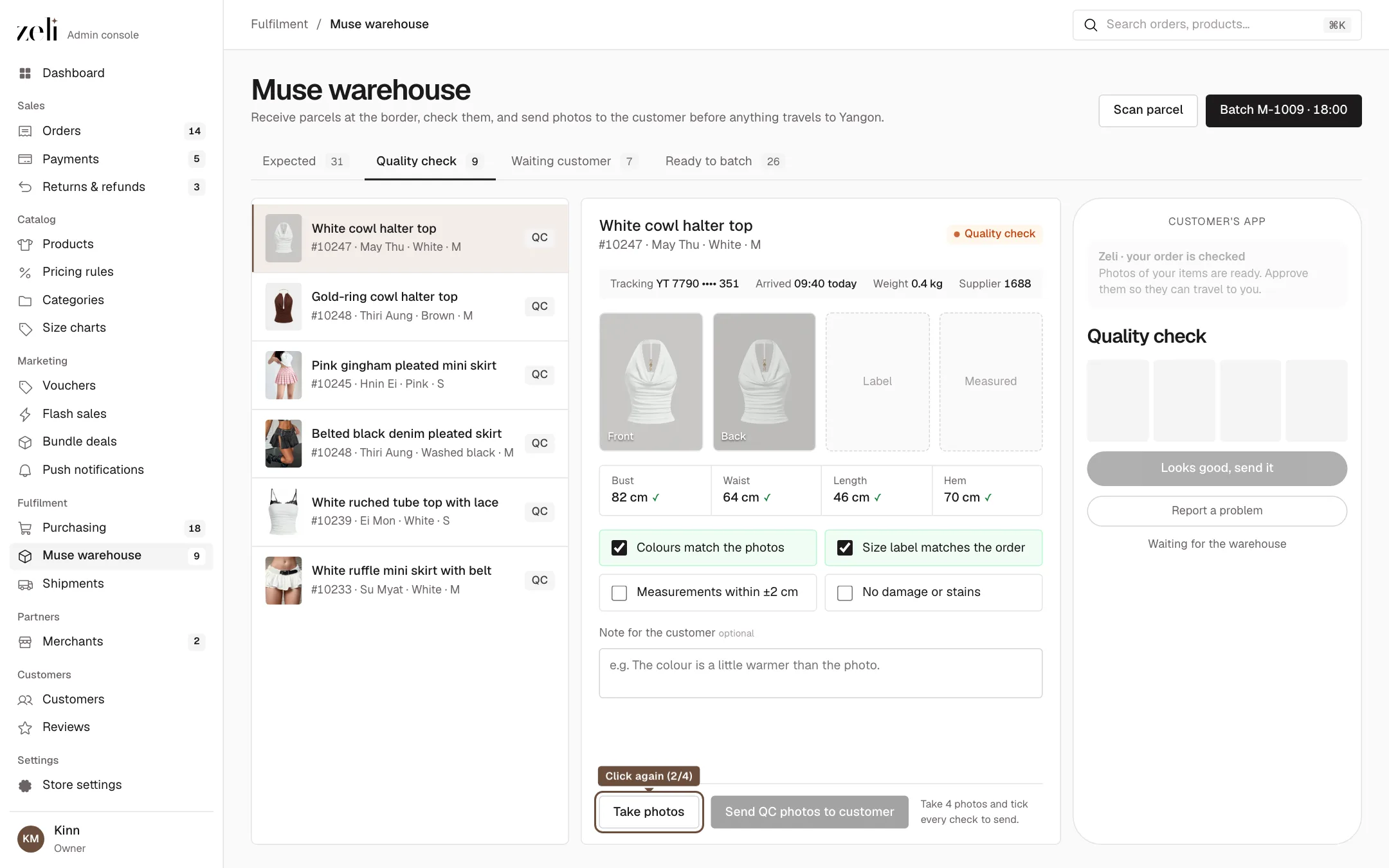
Customers buy from photos of items they cannot touch. The warehouse checks every piece and sends real photos back before it travels on.
What I designed
The whole back office, in the order the team works it.
Orders, MMQR payment exceptions, returns and refunds.
Products, pricing rules, categories, size charts and goes-with rules.
Vouchers, flash sales, bundles, looks, home content, push and campaign pages.
Purchasing from suppliers, the Muse warehouse, and the local brands who sell on Zeli.
Order to doorstep
One order, split into shipments that each move on their own.
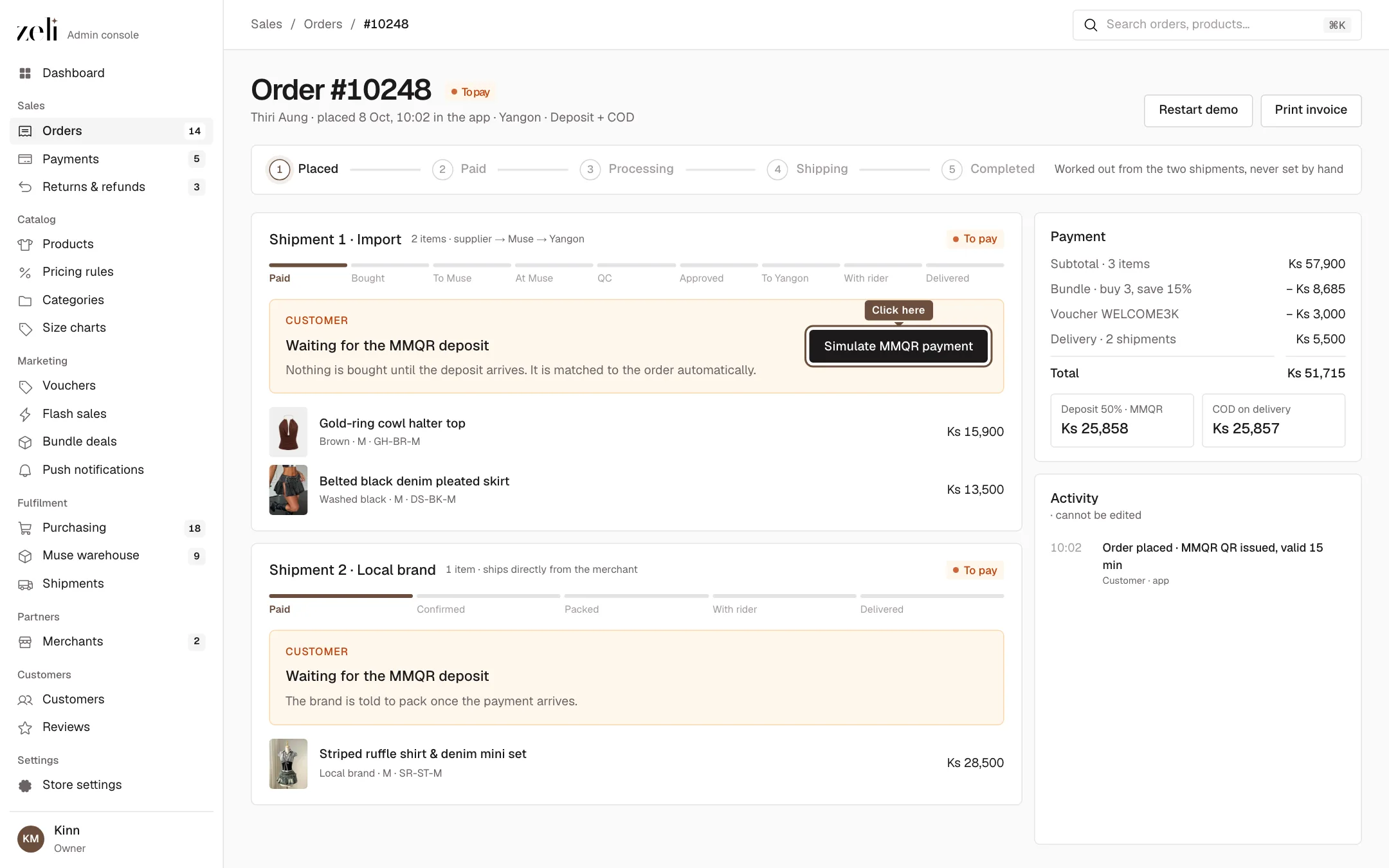
When an order holds imported and local items, it splits itself: one import shipment, and one shipment per local brand. Each shipment shows only the next action for the person who owns that step, as one black button. The order's own status is never set by hand; it is worked out from its shipments, and every change is written to a log nobody can edit.
A dynamic MMQR code, valid 15 minutes, any bank or wallet app.
The deposit lands, and a purchasing task opens for the buyer.
The Muse warehouse checks the item and sends photos.
A truck to Yangon, then a rider who collects the rest in cash.
Payments
Only the exceptions reach a person.
There are no payslip screenshots to check. Every order gets its own MMQR code with the amount inside, and the provider's callback matches it to the order on its own. The Payments team only sees what could not be matched, sorted by what went wrong, with two choices: accept or refund.
Pricing
The price is a formula, not a guess.
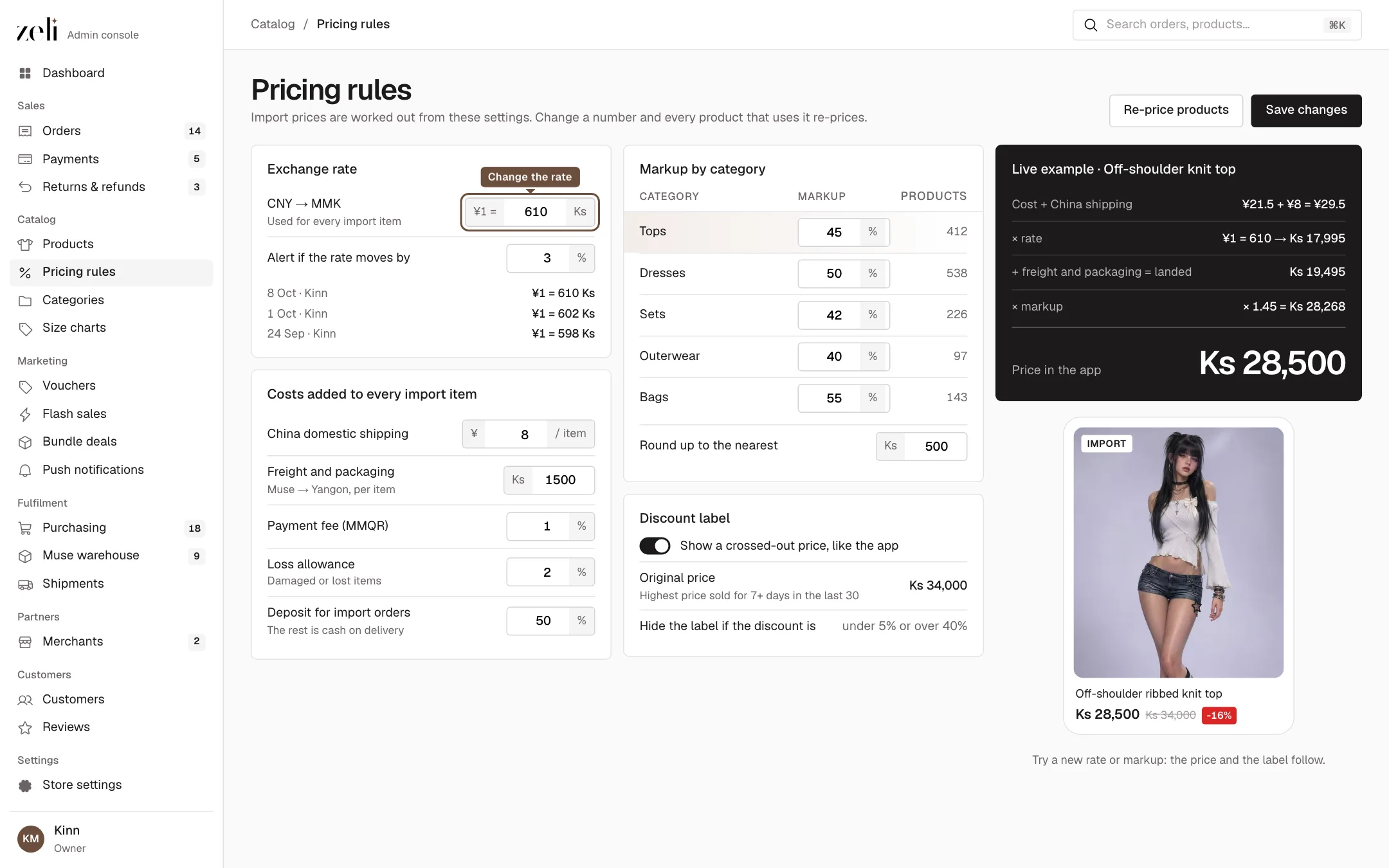
Import prices come from settings, not from someone typing a number. Supplier cost plus China shipping, times the exchange rate, plus freight and packaging is the landed cost. A markup per category and a rounding step give the price in the app. When the yuan moves, one number changes and every product re-prices. The crossed-out price follows a rule too: only a real past price, never more than 40% off.
(cost ¥ + shipping ¥) × rate + freight Ks = landed → × (1 + markup) → round up to 500
Quality check
The customer sees the item before it crosses the country.
Every imported piece stops at our warehouse in Muse. The team photographs it, measures it and checks the label, then the customer gets a push with the photos. They approve, or report a problem and start a return. If they say nothing for 24 hours, it approves itself, so a quiet customer never holds up a truck.
Handoff
Every flow is a spec, not a picture.
I designed the console on a canvas in Claude, flow by flow, in the order of the sidebar. Each row is a spec on the left and its screens on the right, with numbered pins on each screen that match the spec. A developer can build a flow without asking me what a button does.
My role
Tools
KLLeading product design since the founding stage
One set of components, any brand color, light and dark