Still
Still is a calm sound app for focus, relaxation and sleep. You pick a mode, tap Play, and layered soundscapes loop without a seam under a slow line-art scene that breathes with the sound.
- Role
- Lead Product Designer
- Product
- Focus and sleep sound app
- Platform
- Android, iOS, Web
- Team
- Solo, just me
- Status
- Visit live
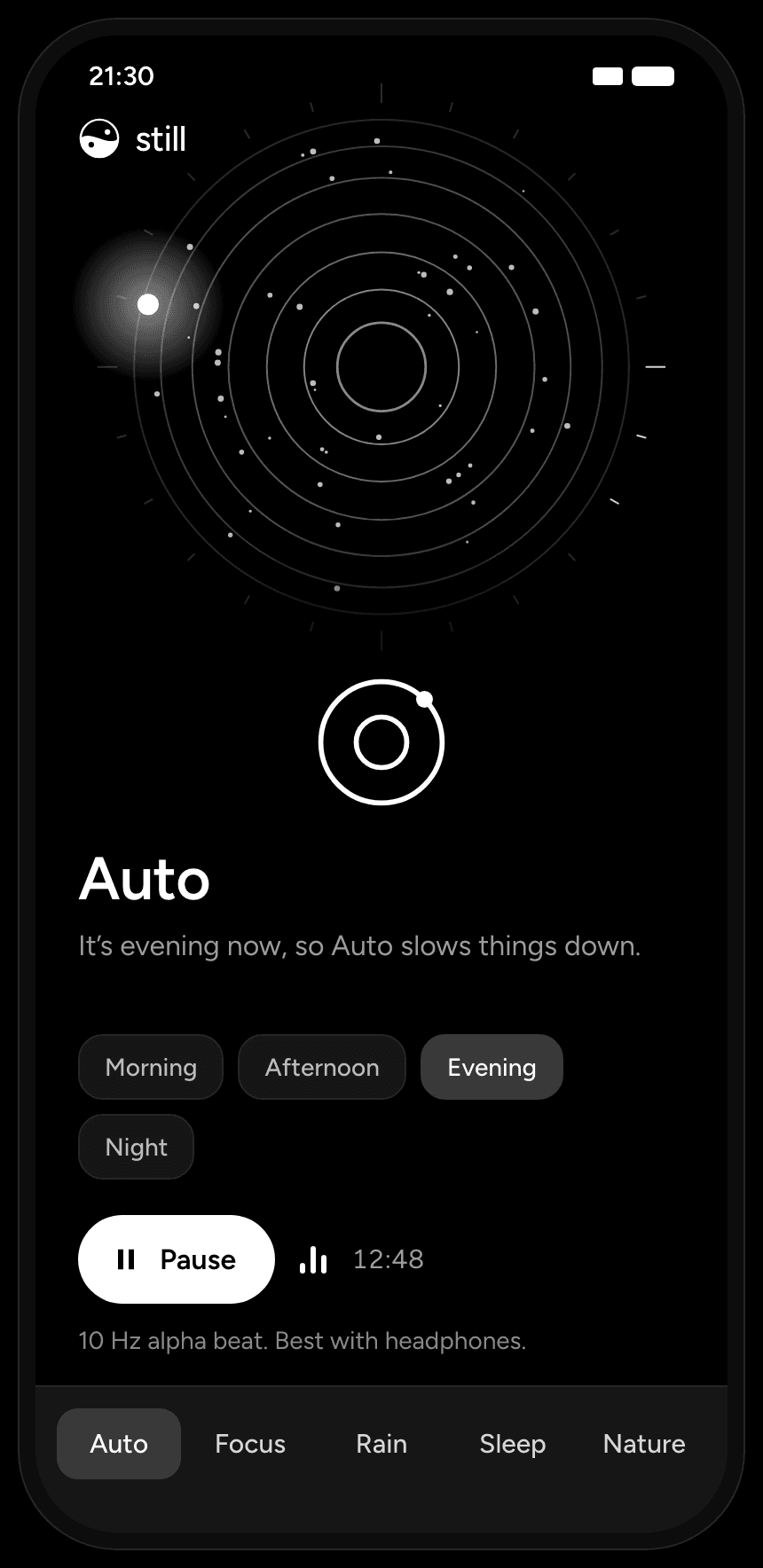 AutoAll day
A 24-hour dial with breathing rings. A glowing sun dot sits at the current hour.
Morning, Afternoon, Evening, Night
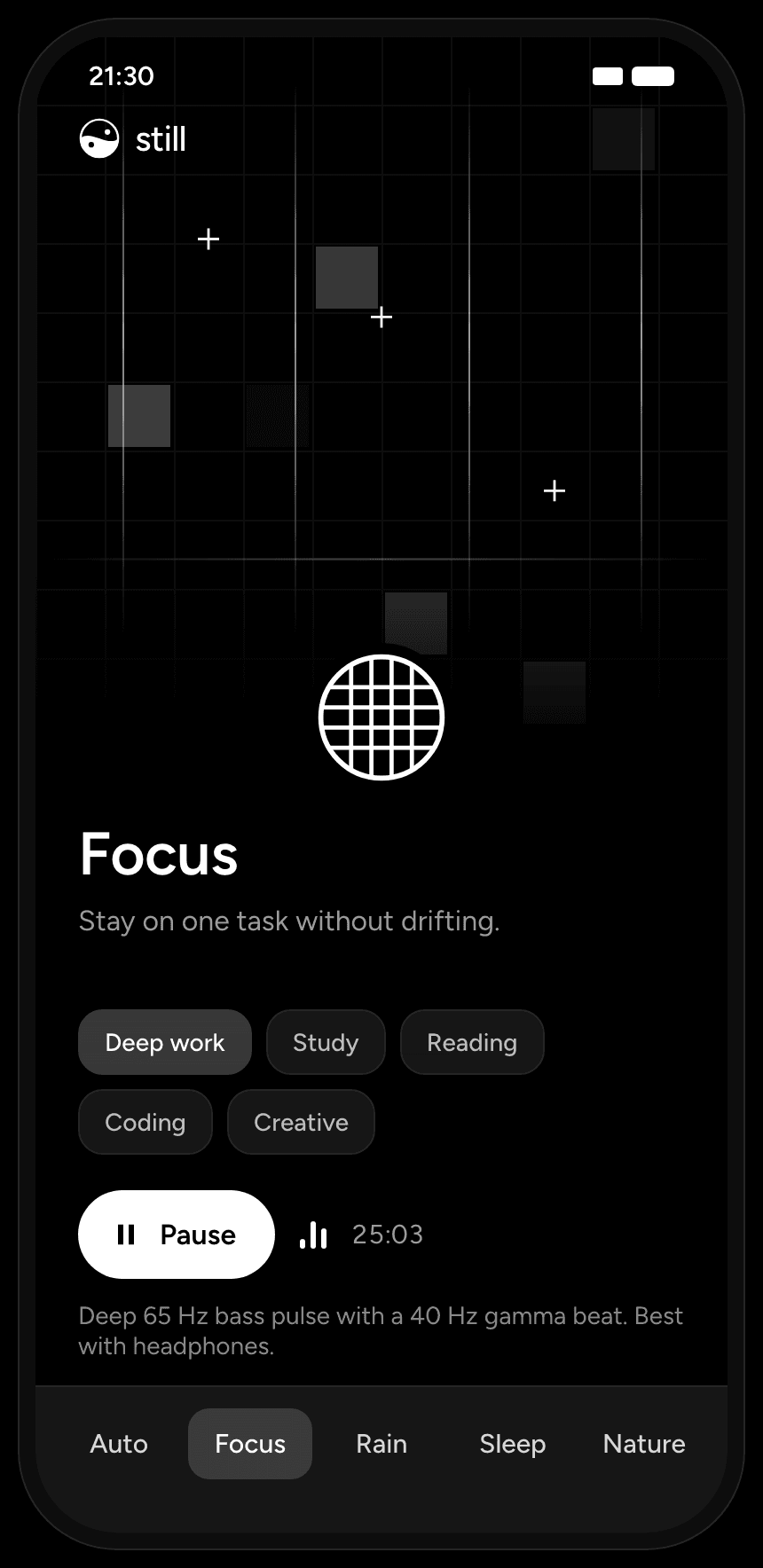 FocusFocus
A fine grid with tall columns. Cells light up one by one and a scan line sweeps down.
Deep work, Study, Reading, Coding, Creative
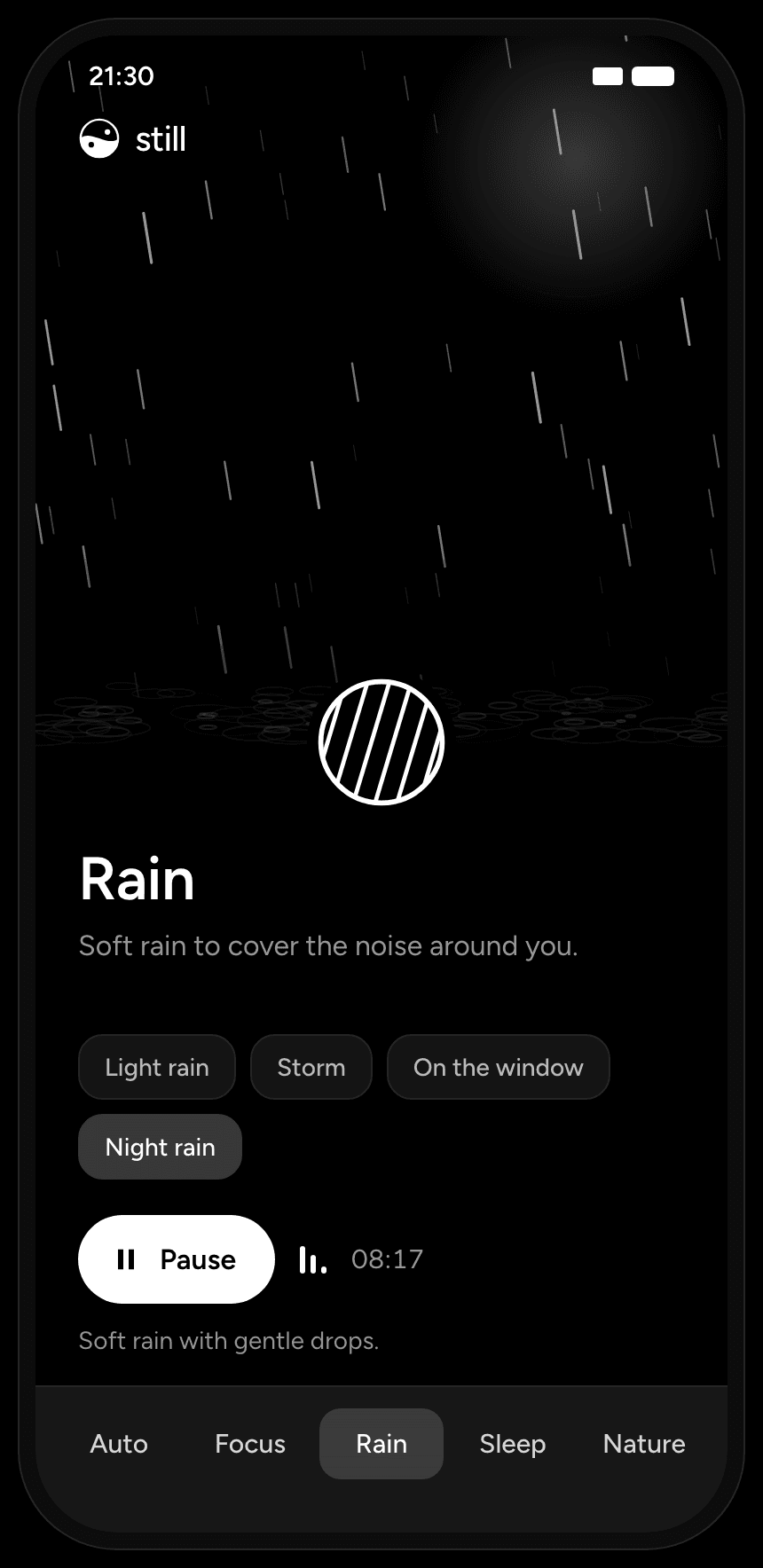 RainRelax
Rain streaks with depth and small ripples on the ground. Each scenario changes density and angle.
Light rain, Storm, On the window, Night rain
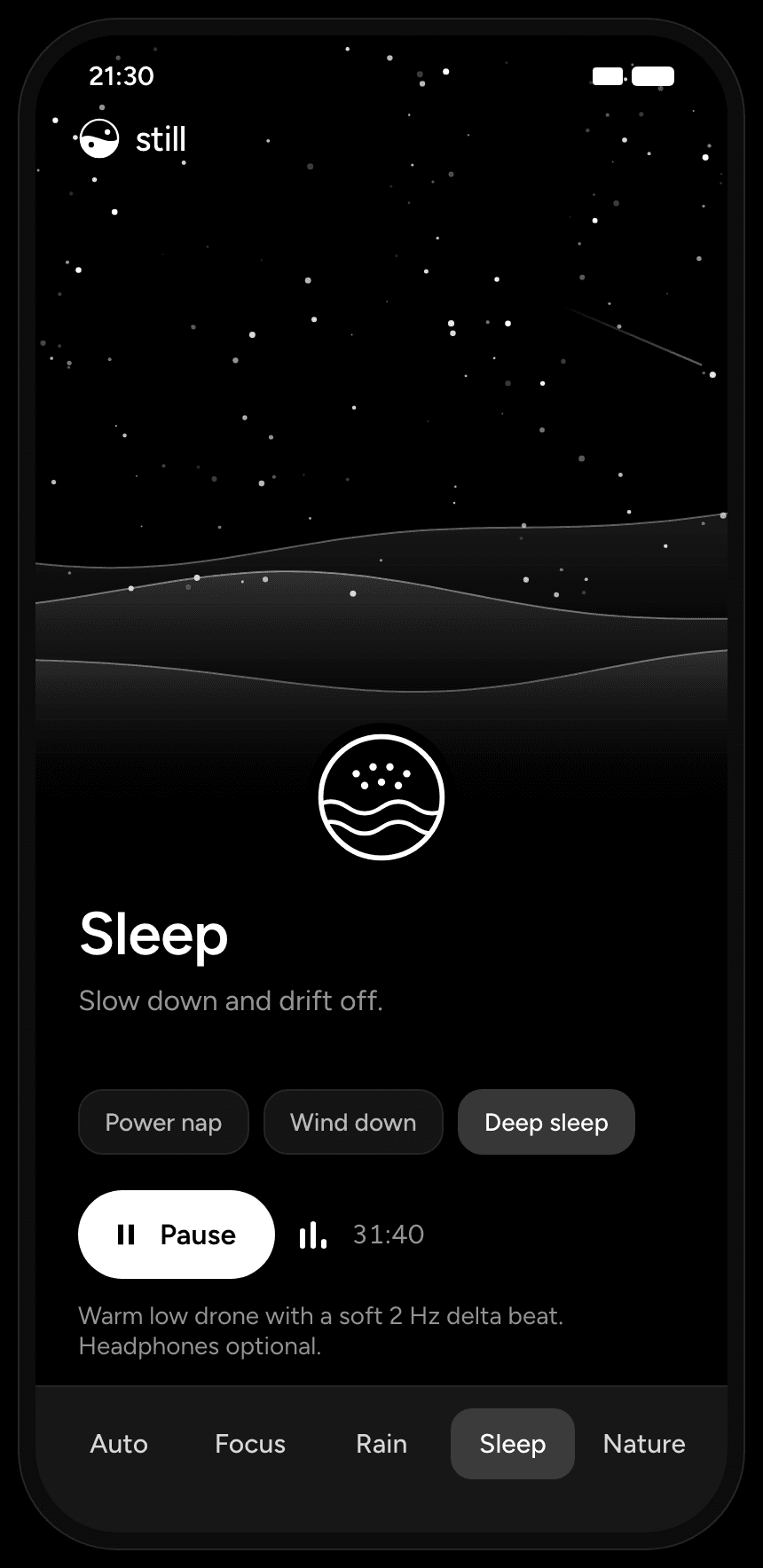 SleepSleep
Twinkling stars over slow rolling hills. A rare shooting star while playing.
Power nap, Wind down, Deep sleep
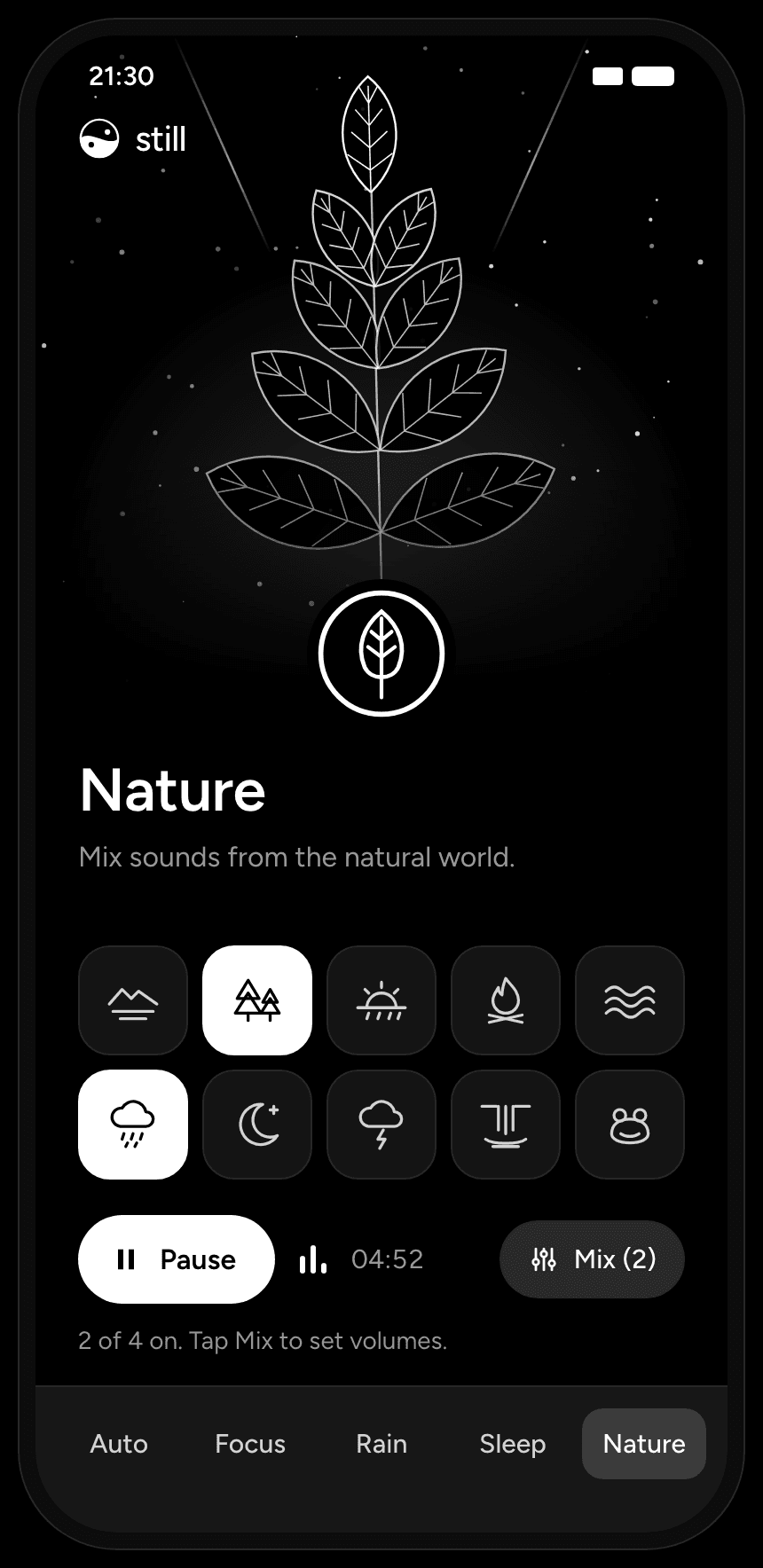 NatureRelax
A line-art plant swaying in a breeze, with light rays and rising pollen.
A mixer: up to 4 of 10 elements
All five scenes are drawn live from code, not video. Reduce motion slows them to 0.2 times.
Shown at full energy, as when the sound plays. While paused, the app runs a scene at about a third of its strength and eases up to full as the sound starts.
The clock and timers on these screens are sample values, not recordings.
The idea
I designed the concept, the art direction, the sound direction, the UX and the copy. There is no Figma file: the design was made in code from the first sketch, and the HTML prototype was the design file.
- 5
- Modes, one screen each
- 10
- Nature sounds to mix, up to four at once
- 17 min
- Before the sound layers line up again
- 0
- Figma files. Designed in code
The problem
Two camps, and I wanted something in between.- Playlists and long tracks
They end, change mood, or start a new song at the wrong moment.
- Code-generated tones
Sine waves and white noise loop forever, but sound like a test signal.
- What I wanted
Real, musical sound that still behaves like a tool. It never ends, never clicks at the loop point, and never asks for attention.
Goals
- One tap
One screen, no library to browse. Five modes, a few scenarios each, one Play button.
- No audible loop
Sound that does not feel like a loop, even after an hour.
- Calm visuals
Black, white, thin lines and slow motion. Nothing entertains.
- Honest claims
Use what research suggests, and never claim a health result.
Brain waves
The part of this space I find most interesting is the claim that sound can be designed around how the brain works. I read into it before I designed anything, and what I found shaped the product more than any visual reference.
- Brainwave bands
EEG research groups brain rhythms into bands. The idea behind brainwave audio is that a beat in a band may nudge the brain toward that state.
- Binaural beats
Each ear hears a slightly different tone. The brain perceives a third, pulsing beat at the difference. It is made inside the auditory system, so it needs headphones.
- Masking
Steady broadband sound, like rain or soft noise, covers sudden noises around you. This is plain acoustics and needs no brain theory.
- Sound during sleep
Lab studies have used carefully timed sounds to strengthen deep, slow-wave sleep. Those systems react to the sleeper's EEG in real time.
The rhythms
EEG research groups brain rhythms into five bands. Each strip below is one second of that rhythm, at the frequency Still uses for it.
- Delta1 to 4 HzDeep sleep2 Hz
- Theta4 to 8 HzDrowsiness6 Hz
- Alpha8 to 12 HzRelaxed wakefulness10 Hz
- Beta13 to 30 HzActive focus18 Hz
- GammaAbove 30 HzFast rhythms40 Hz
The binaural beat
Play 130.8 Hz in the left ear and 140.8 Hz in the right. Neither ear hears anything pulsing, but the brain perceives a third tone that swells and fades 10 times a second, the difference between the two. That beat is created inside the auditory system, not in the air, which is why it only works with headphones.
What the evidence says
Results are mixed. A 2019 meta-analysis of binaural-beat studies (22 studies, 35 effect sizes) found a medium average effect on cognition, anxiety and pain perception. The effect depended on the frequency, how long people listened and when, and other researchers have not replicated some of these findings.
The sleep studies are a different kind of thing. Sounds timed to the slow oscillations of deep sleep strengthened them and improved memory, but that system watches the sleeper's EEG in real time. A phone app cannot do that, so Still borrows the idea and makes no such claim.
So the beat is a reasonable thing to offer, not a thing to promise.
- Garcia-Argibay, Santed and Reales (2019). Efficacy of binaural auditory beats in cognition, anxiety, and pain perception: a meta-analysis. Psychological Research, 83, 357 to 372.
- Ngo, Martinetz, Born and Mölle (2013). Auditory closed-loop stimulation of the sleep slow oscillation enhances memory. Neuron, 78, 545 to 553.
From research to design
- Beats only work with headphones.The beat is a separate, optional layer with its own toggle and a “Best with headphones” hint.
- Many people sleep without headphones.The beat is on by default for Focus and off by default for Sleep.
- The evidence is mixed.Copy says “designed to help you focus”, never “proven”, “treats” or “improves”. The footer says it is not a medical device and results vary.
- Masking works regardless of theory.Rain and soft noise are full modes, not add-ons.
- Each scenario has a different purpose.Each scenario gets a beat in a matching band.
Six beats, six jobs
Every beat sits on the same carrier note, C3 at 130.8 Hz, and every music layer is in the key of C. The beat always sounds like part of the music instead of a tone on top of it.
- 40HzGammaDeep work, Afternoon
- 18HzBetaCoding
- 16HzBetaStudy, Morning
- 10HzAlphaReading, Creative, Evening
- 6HzThetaPower nap
- 2HzDeltaWind down, Deep sleep, Night
Five modes
Five modes cover focus, relaxation and sleep. Auto picks its part of the day from the clock (Morning 05:00 to 10:59, Afternoon 11:00 to 16:59, Evening 17:00 to 20:59, Night otherwise), so the app works with zero choices.
Around the edges
- Nature mixer
Lake, Forest, Meadow, Campfire, Ocean, Rain, Night, Storm, Waterfall and Frog. Up to four at a time, each with a tall pill you drag up or down to set its volume.
- Sleep timer
15, 30, 45 or 60 minutes. The sound fades out over the last 30 seconds, then stops.
- Screen off
Keeps playing in the background with lock-screen controls, and pauses for phone calls.
- Remembers
Your last mode, scenario, mix and beat setting are there when you come back.
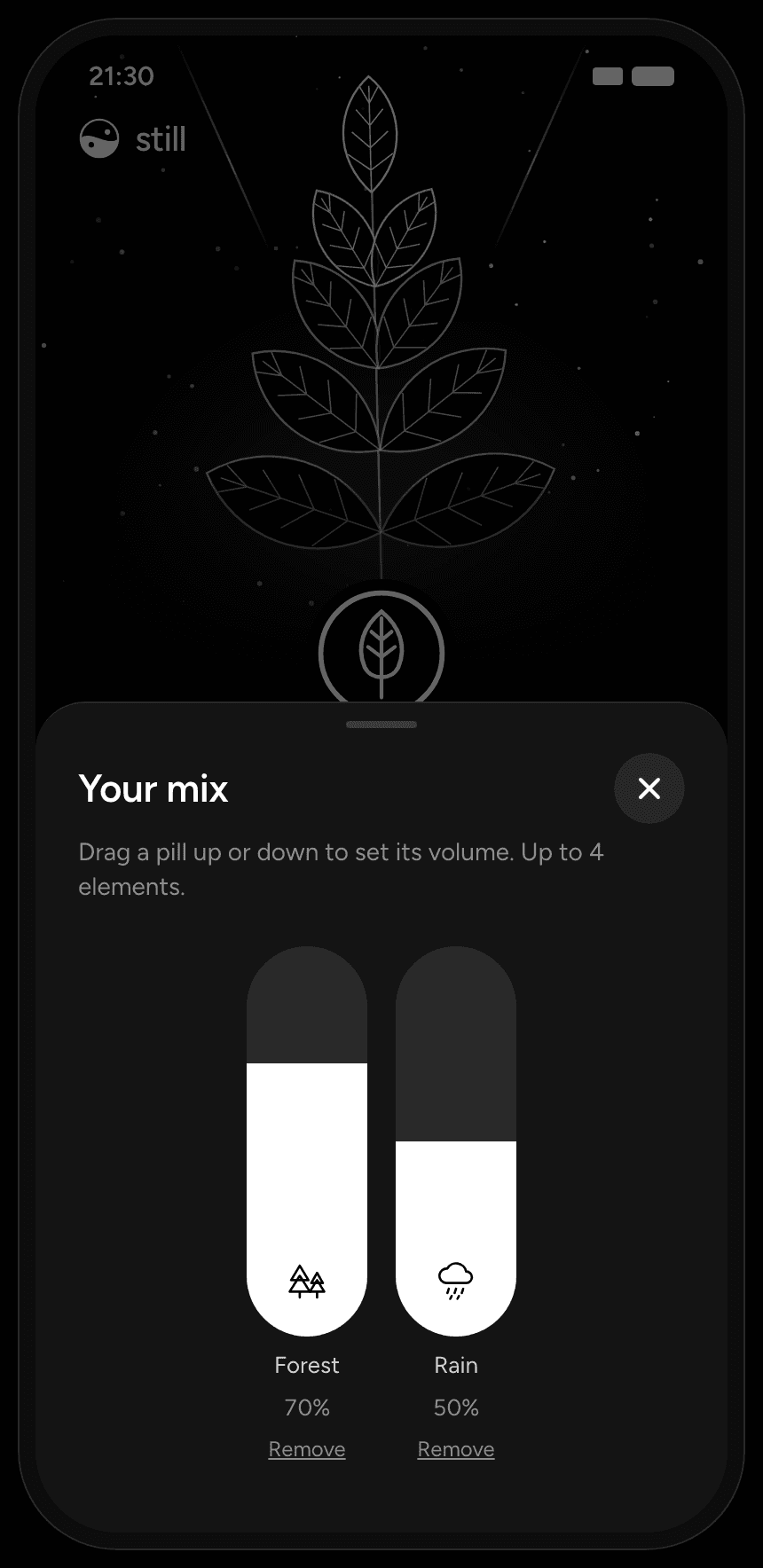
Your mix: vertical volume pills
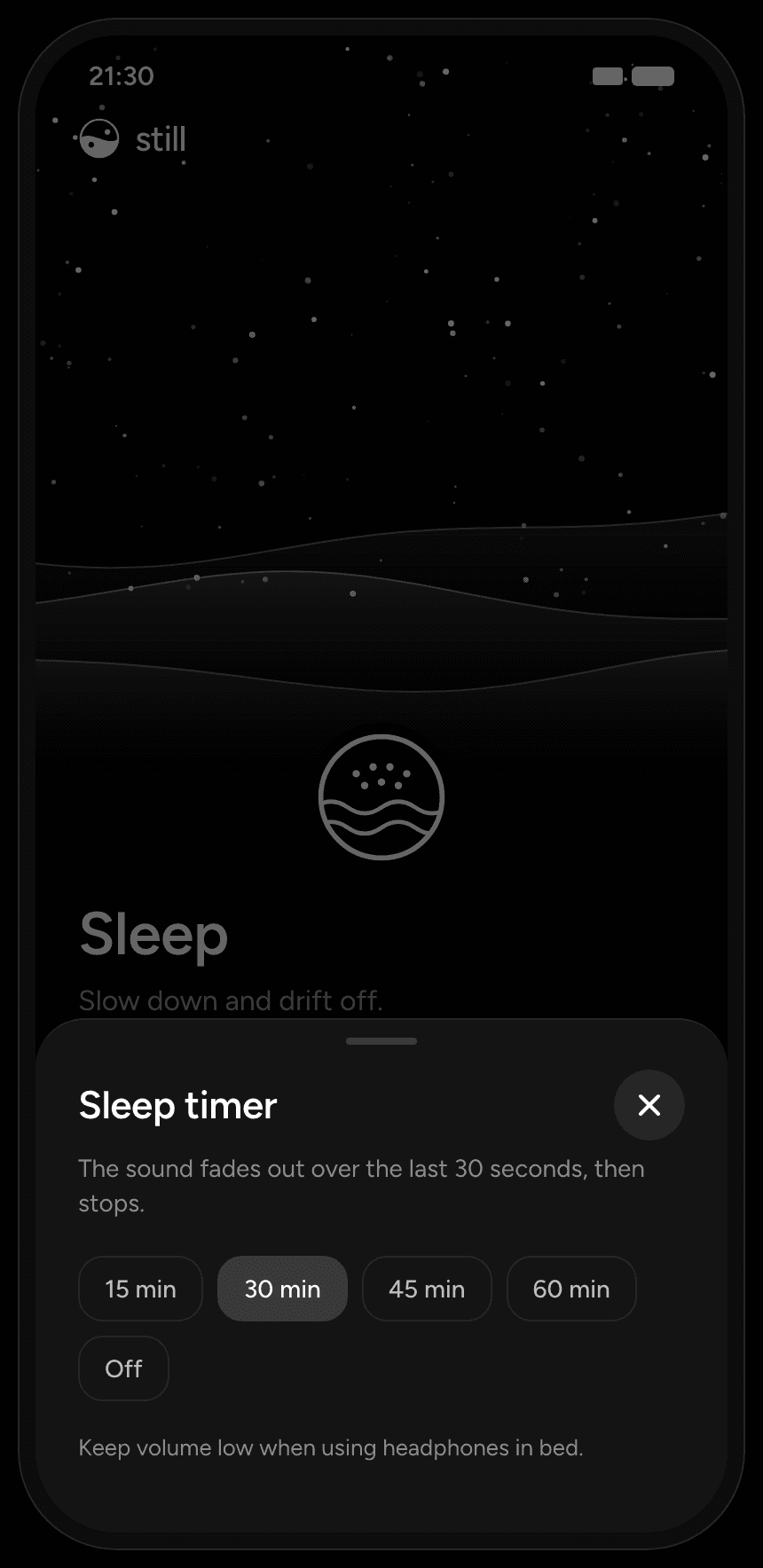
Sleep timer: fades out over 30 seconds
Designed in code
Every visual was made with Claude, directly in code. I never opened Figma for this project.
- 01Describe
I described the mood of each mode in words: “rain with depth, back drops dim and thin, front drops bright, small ripples where they land”.
- 02Draw
Claude wrote it as a canvas drawing in an HTML prototype.
- 03Review in motion
I reviewed it live, at phone size, and gave direction in words again.
- 04Hand off numbers
The prototype became the spec. Its numbers went straight into the Flutter app.
Numbers that went straight into Flutter
- 39 px
- Grid cell in Focus
- 130
- Stars in Sleep
- 46
- Orbiting dots in Auto
- 260
- Drops in a Storm
- Motion is the design
A still frame of a rain scene says almost nothing. Designing in code meant I judged the art moving, at real speed, from day one.
- No translation step
The prototype numbers are the production numbers. Nothing gets lost between a design file and the build.
- Rules are easy to keep
Grayscale only, one font, one set of tokens, all in one place.
Art rules
- Grayscale only: black background, white and gray. Never color.
- Thin lines of about 1 px, and soft glows.
- Each mode has one motion idea.
- The scene wakes up with the sound: about a third of its strength paused, eased up to full as it plays.
- The same seeded randomness in the prototype and the app, so scenes look identical on both.
- Reduce motion runs everything at 0.2 times speed.
Tokens
- Background#000000
- Surface#151515
- Border#262626
- Selected chip#383838
- Muted text#9B9B9B
- Text#FFFFFF
- Font
- Figtree 400, 500, 600
- Type
- Title 34/600, subtitle 16, chip 14/500, tab 15/500
- Shape
- Chip radius 14, tile 56 by 56 radius 18, pill 68 by 220 radius 34, sheet radius 28
- Icons
- 5 mode glyphs, 10 nature elements and the logo, drawn as SVG code: white strokes on black
Sound design
Sound went through three versions. This is the part of the project I learned the most from, and it is built with ElevenLabs Music and Sound Effects.
- Version 1: pure code
Sine waves and filtered noise, generated in Python. They looped perfectly and sounded like a hearing test. I rejected them.
- Version 2: ElevenLabs and code
Short musical takes from ElevenLabs, picked by ear and looped in Python until the seam disappeared.
- Version 3: layers
Instead of one mixed file per scene, each scene is built from separate layers that play together.
- 01Generate
Short musical takes in ElevenLabs Music: 10 to 20 seconds, loop on, 2 to 3 takes each. Nature and rain come from Sound Effects.
- 02Pick
The steadiest take: no sudden loudness jumps, bass present but not only bass, nothing sharp or bright in sleep scenes.
- 03Loop
Cut the steady middle, then join the end back to the start with a 1.5 second equal-power crossfade.
- 04Export
OGG Vorbis, never MP3. MP3 adds silence at the start of the file and breaks a seamless loop.
The seam
A loop is accepted only if its seam differs by less than 0.02 in peak level. An equal-power crossfade keeps the combined energy constant while one take fades out and the same take fades back in, so the join has no dip and no bump.
- End of the take, fading out
- Start of the take, fading in
- Combined power stays constant
Layers
- MusicElevenLabs Music, looped in Python51 s
- Soft noiseBrown and pink noise, mixed into the musicwith the music
- Binaural beatGenerated in code. AI tools cannot make an exact beat60 s, whole cycles only
- Nature elementsElevenLabs Sound Effects19.5 s each
Layers with different loop lengths drift against each other. The music repeats every 51 seconds and the beat every 60, so the two only line up again after 17 minutes. In a session shorter than that, you never hear the same combination twice.
Music, 51 s
Beat, 60 s
An example prompt
Focused study ambient loop, medium warm bass on C (about 65 Hz) with a gentle pulse at 70 BPM, a clear soft synth pad on a C major 9 chord clearly audible above the bass, light airy texture. No drums, no melody, no vocals, smooth start and end.
ElevenLabs ignored the requested key for the sleep track and made C instead of F. Instead of fighting it, I moved everything else to C.
Playback
A 1.5 second fade-in, a 1.2 second fade-out and a crossfade when you switch scenarios. The beat fades on its own without touching the music.
Build
- Audio first
I made the audio engine prove itself before any UI existed. Milestone 0 was a three-button test on a real Android phone: three looping layers, background playback with the screen off, interruption by a phone call, and a crossfade.
- Stack
Flutter, flutter_soloud for low-latency layered audio, audio_service and audio_session for background playback and lock-screen controls, Riverpod for state, flutter_svg for icons.
- Structure
Feature folders: player, art, audio, nature, timer. Art painters only draw. They never touch audio or state.
- Accessibility
In the spec: screen-reader roles for tabs, chips, tiles and pills, pills act as sliders, 44 px minimum touch targets, reduce motion at 0.2 times. The full pass is still to do.
What I learned
- Sound is UX
The biggest usability problem was not a screen. It was a click at a loop point every 51 seconds.
- AI has opinions
ElevenLabs changed my key and Claude drew things I had not described. The work was in directing and choosing, not in accepting the first result.
- Code-first suits motion
I would not design a form this way. For living, ambient art, designing in the medium was faster and more honest.
- Science made the copy quieter
The more I read, the more careful the claims became, and the clearer the product's job: a calm, reliable tool designed to help you focus.
Next
- Final approval of the remaining ElevenLabs takes: Study, Reading, Coding, Creative, Power nap, Rain and Nature.
- iOS release and store listing.
- App icon, splash and store screenshots.
- An 8-hour overnight battery test.
Tools